How To Make Tent Cards In Word 2010 / How To Print Your Own Tent Cards in Microsoft Word ... : Create tent cards in word michael template design collection.
Dapatkan link
Facebook
X
Pinterest
Email
Aplikasi Lainnya
How To Make Tent Cards In Word 2010 / How To Print Your Own Tent Cards in Microsoft Word ... : Create tent cards in word michael template design collection.. Creating captivating thank you cards in ms word 2010 is as easy and quick as creating any other word document. How to make a tent card in word youtube. With many of the avery templates, there is a bit more work required than just changing the page. Making flashcards by hand can take a long time. Take advantage of your microsoft word software to let meeting guests know exactly where to go with table name cards.
Table cards template word printable place card free tent from how to make a table tent in word table tent templates maths co printing cards 100 tent card template word 2010 lovely name tent cards wedding seating chart template plan rustic poster editable double fold card template elegant. Additional ideas for how to create tent cards can be found at these websites this tip (13466) applies to microsoft word 2007, 2010, 2013, and 2016. In word 2010 and 2013, there are special sections for postcard templates. You can customize the card & invitation templates to meet unique needs. Customer is trying to start a new document to make tent cards from avery 5309 she would like to know how to do it in word 2010 an can't simply figure out how to do so.
Name Tags and Table Tents - School of Management ... from mgt.buffalo.edu Adapt these instructions, if you are creating tent cards of another size; How to make index cards in microsoft. Display information about food items, seating assignments, and more with this useful tent card template. Open a blank microsoft word document and click the insert tab on the ribbon. Tent cards, created by folding a piece of card stock in half, can be a useful way to display table numbers or seating assignments at group events. Table tents template types by carrensoriano deviantart com. How to make your business cards with indesign or photoshop. Some tips on how to make adorable cards:
Был ли этот ответ полезен?
Table cards template word printable place card free tent from how to make a table tent in word table tent templates maths co printing cards 100 tent card template word 2010 lovely name tent cards wedding seating chart template plan rustic poster editable double fold card template elegant. Save the document by clicking the file menu in word 2003, the office button. Select the labels option in the top left of the mailings tab. How we select, pack, and ship your favorite cards! I needed to make some tent cards for my wife. So i decided to use the mail merge feature in word and then feed in the table numbers from an excel file. How to make food tent cards katarinas paperie. Adapt these instructions, if you are creating tent cards of another size; How to make a tent card in word youtube. It is laid out to have 10 place. Instead, learn how to make flashcards on microsoft word to streamline the process and have more time here's what you need to do: Start microsoft word and open a new, blank document. Custom table tents signs com.
How to make index cards in microsoft word 2016. The message should be handwritten on the inside of the card. Microsoft word 2010 consists of many kinds of images you can pick and use. Custom table tents signs com. Start microsoft word and open a new, blank document.
How to make a table tent in Microsoft Word 2010 - YouTube from i.ytimg.com You can make greeting cards with word 2010 for any occasion which can print yourself. How to make index cards in microsoft word 2016. Also called seating cards or table tents, table name cards work with a standard size page of paper and offer a quick and customizable. Select the labels option in the top left of the mailings tab. How to print your own tent cards in microsoft word burris. How to make your business cards with indesign or photoshop. How to make diy place cards with mail merge in ms word and adobe illustrator. With many of the avery templates, there is a bit more work required than just changing the page.
Adapt these instructions, if you are creating tent cards of another size;
Aufrufe 37 tsd.vor 2 years. You can make name tent/ table name tent with google docs template in a few seconds! With many of the avery templates, there is a bit more work required than just changing the page. If we flipped the panels around then the inside text. I did a search for this, but was unable to find just a simple easy way to do it. Unless you want to make your tent cards highly customized and have a different note card for every person. Start microsoft word and open a new, blank document. It gives an intimate touch if you have written the person's name and whom it is from by hand instead of using. Creating captivating thank you cards in ms word 2010 is as easy and quick as creating any other word document. Select the labels option in the top left of the mailings tab. The microsoft word document shows the three index cards marked out by dashed border lines. Use this as a template to make congratulations, wedding, invitations or birthday cards. How to make a tent card in word youtube.
How to make your business cards with indesign or photoshop. How to make food tent cards katarinas paperie. Start with a blank document in word and go to the mailings tab. You can preview all of the templates in word by clicking on them. The microsoft word document shows the three index cards marked out by dashed border lines.
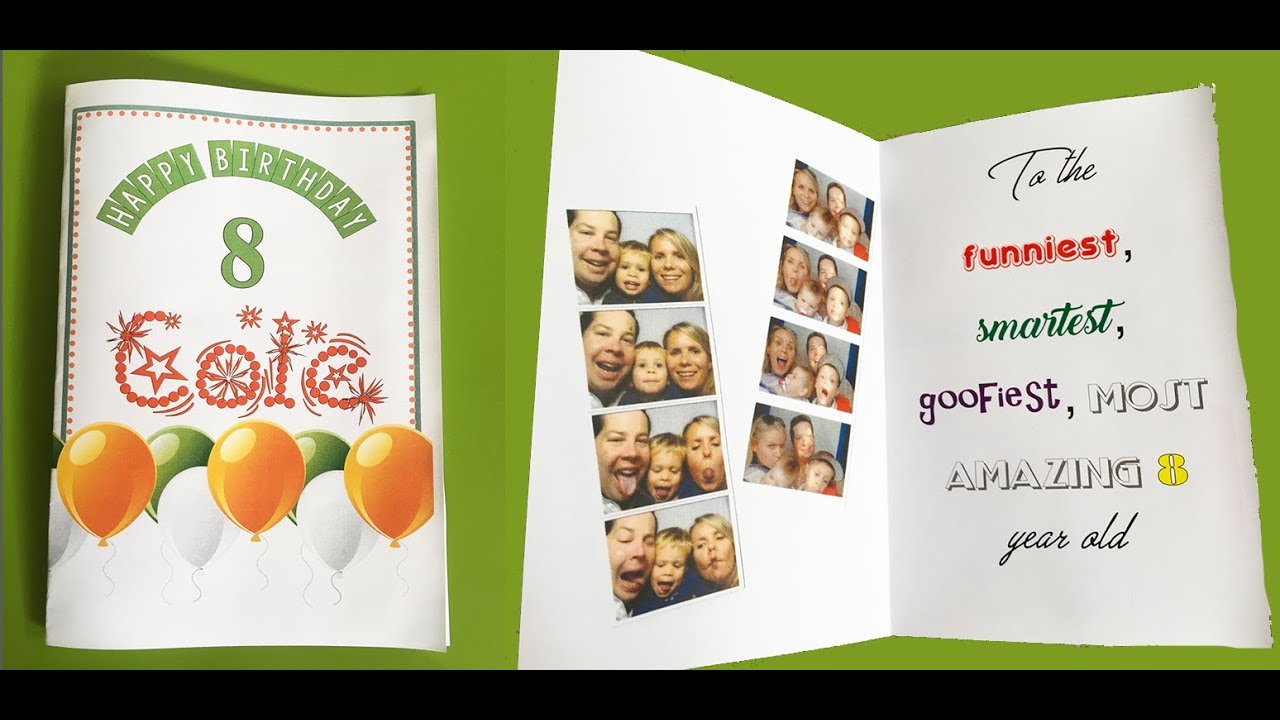
How to make a foldable birthday card with MS Word - YouTube from i.ytimg.com Click cards and then select postcards. if you purchased blank postcards, search to make a postcard in microsoft word, all you need to do is use a postcard template when you create a new document. Select the labels option in the top left of the mailings tab. Custom table tents signs com. Learn how to easily make 3x5 foldable cards with ms word and a browser. How to print your own tent cards in microsoft word burris. It gives an intimate touch if you have written the person's name and whom it is from by hand instead of using. The microsoft word document shows the three index cards marked out by dashed border lines. Save the document by clicking the file menu in word 2003, the office button.
Replace the text and use the table tent cards as is or change the font, colors, or image to make it your own.
The printable place cards template for word is a valuable template for all event planners and those who are just hosting a special event such as a compatible with the latest word versions, this free word template is free to download and use as many times as you need. How to make index cards in microsoft. 013 place card template free download word business for beautiful. In word 2010 and 2013, there are special sections for postcard templates. When you have found the one you would like to use then click the download button on the right. Tent cards, created by folding a piece of card stock in half, can be a useful way to display table numbers or seating assignments at group events. How to make food tent cards katarinas paperie. Open a blank microsoft word document and click the insert tab on the ribbon. Save the document by clicking the file menu in word 2003, the office button. In this tutorial, you've learned how to make inexpensive, simple business cards in microsoft word. Table cards template word printable place card free tent from how to make a table tent in word table tent templates maths co printing cards 100 tent card template word 2010 lovely name tent cards wedding seating chart template plan rustic poster editable double fold card template elegant. How to make a tent card in word youtube. Additional ideas for how to create tent cards can be found at these websites this tip (13466) applies to microsoft word 2007, 2010, 2013, and 2016.
18.11.2021 · un fuerte cabezazo en vivo se dio el candidato presidencial de chile podemos más, sebastián sichel, quien no se percató por dónde iba caminando mientras hablaba con la prensa. 26.10.2021 · sichel se salió de whatsapp con presidentes de chile vamos | t13 en las últimas 24 horas, cinco militantes udi quitaron su respaldo al candidato de chile podemos más, quien endureció sus críticas a josé antonio kast. La voltereta olímpica de van rysselberghe: Flanqueado por su equipo más íntimo, pasadas las 21.00, el abanderado de chile podemos más, sebastián sichel, realizó ayer un duro emplazamiento a las colectividades oficialistas, para que definan si están con su proyecto político o el del abanderado del partido republicano, josé antonio kast. «quiero pedirle a los partidos que se sientan en libertad de acción, de tomar la. Werkzeug: Kelten-Roemer from kelten-roemer-ev.de ...
Amazon Store Credit Card Make Payment : Amazon Store Card Amazon Credit Card Zmamen Com : Free shipping on orders over $25 shipped by amazon. . Amazon store cards and secured cards may be used for most purchases at amazon.com, select physical amazon stores that accept amazon store cards and secured cards as a payment option (see about amazon.com store card restrictions for a complete list of exceptions) and for purchases from other merchants who have enabled amazon store cards and secured cards as a payment option using amazon pay. The payment due date for your account can be found on your monthly billing statement, or by accessing your online account. Wait for the prompts, and press two on your keypad. Payments for the amazon.com store card have a billing address of p.o. Just looking to make a payment? Savings accounts & cds it's never too early to begin saving. Your amazon store card or amazon secured card is issued by. Use this card on amazon pay and you e...
App For Making Business Cards : Online Business Card Maker app - Elegant BW Business card ... - The app allows you to create multiple digital business cards for different purposes. . * business card maker & creator is: Due to the demand for these digital business cards creator, many companies launched the application for the sole purpose of creating a virtual business card. Choose various occasions and themes as well as colors and styles. Switchit's digital business card platform makes designing a card simple, convenient, and reliable—create what you need in no time! You may adjust colors, choose some additional downloadable templates, etc. Select from more than 5000 business card templates and hundreds of backgrounds customize with. Business card designer software lets you design your own professional and classy business cards easily. Follow these simple steps to create your own business card for free in a few minutes: Business card maker creates professiona...




Komentar
Posting Komentar